Extending Image-to-Video Clips: Looping, Extend Features and Seam Artefacts
Extending AI-generated video past its native length creates seam artefacts because motion coherence does not continue across generation boundaries—here is what each method breaks.
Extending Image-to-Video Clips Past Their Native Length
You generate a five-second clip of a lighthouse from a single photo. It looks good. You need ten. Run the same image again, splice the two clips together, and the join jumps like a glitch. That break is the seam artefact: the core problem of extending image-to-video clips past their native length. Generated clips lack consistent motion vectors across generation boundaries. Even a frame-perfect join shows a discontinuity in motion coherence. Three methods get you longer video: looping, native extend features, and concatenation. Each has a different failure mode. Not every model feature that claims to reduce the seam actually does.
Looping AI-Generated Video
Looping reverses and replays the generated clip. A five-second clip becomes ten by playing forward then backward. The seam appears at the midpoint where the direction flips: motion that was moving right suddenly moves left. This reversal seam is a hard cut with inverted motion vectors. The model never generated a transition between the last frame and a reverse of itself.
When Looping Works
Generate a clip with minimal directional motion. Static camera shots of waves rippling, clouds drifting, or a face with subtle expression change all work. The reversal is harder to spot when the dominant motion is cyclic or random. For clips with strong linear movement, a car driving, a person walking, looping produces an obvious stutter. Use it only for b-roll where the direction of motion does not matter.
Masking The Reversal With FFmpeg
FFmpeg can build a loop with a crossfade at the midpoint. Extract the last three frames of the forward pass and the first three of the reverse, apply a frame blend, then replace the join. The command is: ffmpeg -i input.mp4 -filter_complex "[0]reverse[r];[0][r]concat=n=2:v=1:a=0" output.mp4. Add a crossfade with the xfade filter for a smoother transition. This does not fix the seam; it hides it. The underlying motion discontinuity remains.
The practical limit for looping is two full passes. A third pass, forward-reverse-forward, introduces motion collapse. The subject becomes static because the model's bias toward low-motion outputs suppresses any remaining movement. Limbs freeze. Waves flatten. The clip looks like a paused frame with micro-movement. Keep loops to a single reversal.
Kling Start-And-End-Frame Extension
Kling is the only widely available commercial model with documented start-and-end-frame support, a feature present since the 1.6 update and retained in the current Kling 2.5 under Elements: Start Frame and Elements: End Frame. You supply both the first and last frame of the clip. The model generates the motion between them. There is no join. The entire clip is one inference, so the seam is eliminated entirely.
How To Use Start-And-End Frames
Take your source image as the start frame. For the end frame, generate a separate still image that captures the final composition you want: a wider shot, a different angle, or the same subject after a specific movement. Upload both to Kling 2.5. The model infers the interpolation. The result is a single clip of five or ten seconds with no concatenation seam. The seam is not reduced; it is avoided because the generation never stops.
The failure case is subject drift between the two frames. Different identities, different lighting, different face angles, different backgrounds: the model interpolates between them and the output drifts through an intermediate identity that matches neither. Generate both frames from the same source image using different prompts or camera controls, ensuring the subject stays consistent. Kling 2.5 supports camera controls, horizontal and vertical pan, zoom, roll, and tilt, that let you adjust the end frame without changing the subject.
If your model does not support start-and-end-frame specification, the next best option is a separate frame-to-frame generation pipeline. Extract the last frame of clip A, set it as the start frame for clip B, and generate the second clip. This reduces the seam but does not eliminate it. The model does not condition on the motion trajectory, only on the pixel content of the last frame. The motion discontinuity remains between the last frame of A and the first frame of B, especially in velocity and acceleration.
Luma Dream Machine Extend Feature Artefacts
Luma Dream Machine offers a native extend feature, documented on its platform. You generate a five-second clip, then extend it in the same interface. The model continues the motion from the last frame of the previous clip. The seam that appears is not a hard cut but a soft discontinuity. The subject jumps slightly in position, the lighting shifts, or background details warp between the end of the first pass and the start of the extension. The cause matches concatenation: the model's temporal attention resets at the start of each generation pass, losing the motion vectors from the previous clip.
Luma Dream Machine's extend feature reduces the seam compared to manual concatenation because the model sees the last frame of the previous output as conditioning. But it does not carry forward the motion trajectory. The result is frame-perfect pixel matching with incorrect motion continuity. The subject may stutter, speed up, or change direction subtly.
The extend feature works best for static backgrounds with slow subject motion. For a product shot where the camera slowly orbits, the extend seam is nearly invisible. For fast action, a dog running, a car turning, the seam is obvious. The workaround is to generate the full sequence in one pass using a longer native clip length if the model supports it. Luma Dream Machine's maximum native length is five seconds. There is no option for a longer single pass. The extend feature is the only way to get ten seconds, and the seam is a trade-off you accept.
Luma Dream Machine does not support start-frame or end-frame specification. The extend feature is the closest alternative. If you need a ten-second clip with no seam, use Kling 2.5 with end-frame specification. If you must use Luma, plan for a visible artefact at the midpoint and hide it with a cut or a visual effect.
Fixing The Concatenation Seam
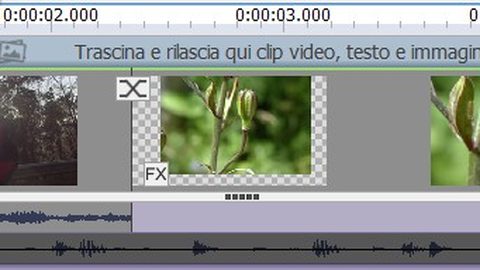
Concatenation is the most common extension method: generate two separate clips from the same source image and join them in an editor or with FFmpeg. The seam artefact is a visible jump at the join. The cause is the lack of motion vector continuity across the generation boundary. Each clip's internal motion is coherent, but the transition between them is a hard cut where the next frame's motion does not follow from the previous frame's motion. Even if the pixel content matches perfectly, the last frame of clip A identical to the first frame of clip B, the motion direction, speed, and acceleration are not consistent.
Crossfade And Frame Blending
Apply a crossfade of 4 to 6 frames at the join. FFmpeg's xfade filter blends the last frames of clip A into the first frames of clip B. This masks the motion discontinuity by smoothing the transition. The artefact is not removed; it becomes a blur rather than a jump. For most viewers, a blur over 0.2 seconds is less noticeable than a hard cut. The command: ffmpeg -i clipA.mp4 -i clipB.mp4 -filter_complex "[0:v][1:v]xfade=transition:fade:duration=0.2:offset=4.8" output.mp4.
Frame blending is a stronger fix. Extract the last three frames of clip A and the first three of clip B, average them per pixel, and insert the blended frame at the join. This reduces the speed change but softens the image. Use frame blending only when the clips are near-identical at the join. If there is any subject movement between the two clips, blending produces a ghosted double image.
The Usable Length Problem
The lasting fix is to avoid concatenation entirely. Use a model with native extend features or start-and-end-frame support. The gap between claimed maximum clip length and usable clip length is significant: a model advertising ten seconds may produce acceptable motion coherence for only four to six. Extending past the usable threshold compounds subject drift. The identity of the original subject decays with each additional second. A ten-second concatenated clip from a model with six seconds of usable length will show visible drift in the tail end of the first clip and the start of the second. The seam is only part of the problem; the rest is the model's attention mechanism losing track of the source image over long sequences.
| Method | Seam Artefact | Model With Native Support | Native Clip Length (s) | Extension Method |
|---|---|---|---|---|
| Looping | Reversal seam at midpoint | All models | 2–12 | Reverse and replay |
| Start-and-end-frame | No seam (single inference) | Kling 2.5 | 5, 10 | End frame conditioning |
| Native extend | Soft seam at extension boundary | Luma Dream Machine (Photon) | 5 | Extend from last frame |
| Concatenation | Hard seam at join | None (manual) | Varies | FFmpeg concat + crossfade |
Models Without Extension Features
Runway Gen-4, Sora, Pika 2.2, Seedance 1.0, Hailuo AI, Wan 2.1, LTX-Video 0.9.5, and Stable Video Diffusion 1.1 do not document start-frame, end-frame, or extend features as of September 2026. For these models, the only extension methods are looping and concatenation. Sora has the longest native clip length at 12 seconds, which reduces the need for extension but does not eliminate it if you need a longer shot. Runway Gen-4 generates 5- or 10-second clips at 1280×768 resolution but offers no native way to extend them without a seam.
The practical workflow: generate the full sequence as a single clip at the model's maximum native length. If that is insufficient, accept concatenation with a crossfade. The seam artefact is inevitable. The only variable is how well the crossfade hides it. For models with low native resolution, LTX-Video at 768×512, Pika 2.2 at 1088×640, upscaling before concatenation introduces softening that makes the seam less noticeable but also reduces overall quality. Upscale after concatenation to keep the seam apparent but the rest of the clip sharp.
None of these models support commercial use under their standard licences. LTX-Video and Stable Video Diffusion are non-commercial. Wan 2.1 is Apache 2.0 and permits commercial use, but it lacks extension features. If you need a ten-second clip for commercial work with no seam, the only option as of September 2026 is Kling 2.5 with end-frame specification.
Why The Seam Happens
The seam artefact is not a rendering error. It is a structural consequence of how image-to-video models work. They encode the source image into a latent space, inject noise, and denoise across frames with temporal attention layers. Each inference starts from a new latent noise pattern. The temporal attention layers track motion only within that single inference. When you start a second inference, the temporal attention resets. The model has no memory of the motion from the first clip. The pixels at the join may match. The motion vectors do not.
This is the difference between motion vector continuity and pixel continuity. Two clips can have identical last and first frames but completely different motion trajectories. The seam appears because the viewer's eye tracks motion, not static pixels. A person walking right at 0.5 meters per second in clip A should continue at the same speed in clip B. If clip B starts with the same pose but at a different speed or direction, the eye registers a jump. The crossfade and frame blending fix the pixel jump but not the motion jump. The only cure is a single inference that spans the full duration.
For open-weights models like Wan 2.1 and LTX-Video 0.9.5, you can attempt to hack temporal continuity by feeding the last frame of a previous clip as the first frame of a new generation. This gives a pixel match but not a motion match. The result is a reduced seam, still noticeable, but less jarring. The best approach: generate the longest single clip the model supports and accept the length limit. Pushing past it with concatenation always introduces artefacts.
Motion Collapse And Subject Drift
Extending clips past the model's usable clip length compounds two failure modes: subject drift and motion collapse. Subject drift is the gradual transformation of the subject into something else. A face changes ethnicity. A car becomes a truck. A lighthouse becomes a different lighthouse. The cause is the model's temporal attention losing the conditioning signal from the source image over long sequences. Motion collapse is the opposite: the model generates a nearly static clip because its bias toward low-motion outputs suppresses movement.
Usable Length Versus Claimed Length
The usable clip length is 40 to 60 percent of the claimed maximum. A model advertising ten seconds of generation produces acceptable motion coherence for four to six. Beyond that, the subject drifts and motion collapses. Extending a six-second clip to ten via concatenation means the final four seconds are generated from a source image that has already drifted. The drift compounds. The ten-second result is two clips: one with moderate drift, one with severe drift, with a seam between them.
Planning Around The Usable Window
Generate the full clip within the usable length. If you need ten seconds, use a model with a longer native clip length or a model that supports start-and-end-frame specification. Kling 2.5 generates five or ten seconds with end-frame support, so the usable length is the entire ten. Sora generates up to twelve seconds natively, which covers most needs without extension. For models with shorter usable lengths, plan your edit around the usable window. Cut the clip before the drift becomes noticeable.
More in this guide
Post-Generation Video Processing for AI-Generated ClipsFrame Interpolation on Generated Image-to-Video Footage: How It Works and What Breaks.
Common Questions
What causes the visible seam when concatenating AI-generated video clips?
The seam is caused by inconsistent motion vectors across generation boundaries. Each inference starts with a new latent noise pattern, so the temporal attention layers do not carry forward the motion trajectory from the previous clip.
Which models offer native extend features to reduce the seam?
Luma Dream Machine offers a native extend feature, documented on its platform. Kling 2.5 supports start-and-end-frame specification, which avoids the seam entirely by generating the full clip in one inference.
Can I fix the seam with FFmpeg after concatenation?
Yes. Apply a crossfade of 4 to 6 frames using FFmpeg's xfade filter. This masks the motion discontinuity by blending the transition. The seam is not removed but becomes less noticeable.
How long can I extend a clip before subject drift becomes visible?
The usable clip length is 40 to 60 percent of the claimed maximum. For a model claiming ten seconds, expect visible drift after four to six. Past that, subject drift compounds with each additional second.