Prompting Image-to-Video Models for Controlled Motion: Structures, Examples and Model-Specific Techniques
A reusable image-to-video prompt structure for controlled motion, with worked examples of the same shot prompted well and badly across Runway, Pika, Kling and Dream Machine.
Newcomers to image-to-video prompting assume the text prompt drives the motion as strongly as it drives the subject in text-to-image. That assumption is wrong. Image conditioning is stronger than text conditioning on the motion axis. The model will preserve the source image at the expense of your written instructions. This page gives you a reusable motion control structure that separates subject motion from camera motion and tells you what to change when the output ignores you. You need a prompt template, model-specific adjustments, and a diagnosis process for failures. Below, find the detailed guides routed by what you are trying to do.
- Core Problem: Image conditioning beats text conditioning in most models. The model will preserve the source image at the cost of ignoring your motion prompt.
- Reusable Prompt Structure: 1. Subject motion description (what moves and how). 2. Camera motion description (pan, tilt, zoom, etc.). 3. Motion magnitude (a number on the model's scale). 4. Negative constraints (what NOT to do).
- Primary Failure Modes: Motion collapse (near-static clip despite active prompt) and prompt ignored (motion bears no relation to text). Both stem from weak text conditioning on motion.
- Model-Specific Behaviour: Runway Gen-4's director-mode interprets camera prompts differently than Luma Dream Machine's whole-frame strength slider. Pika 2.0 uses region-mask workflows, a different paradigm.
- What To Do Next: Diagnose first. If the model ignores your motion prompt, reduce motion magnitude and check your negative prompt. If motion collapses, increase magnitude or switch to a model with stronger temporal attention.
Image-to-Video Prompting Guide Motion Control: The Structure You Copy
Every image-to-video prompt you write should contain exactly four components, in this order: subject motion description, camera motion description, motion magnitude, and negative constraints. Skip one and the model fills in its own default. That default is near-static because low-motion outputs show fewer artefacts during training.
The Prompt Template
Template: "[Subject description, brief] [What the subject does: verb + direction + speed] [Camera movement: pan/tilt/zoom/orbit/dolly/static] [Motion magnitude: a number on the model's scale] [Negative prompt: what motion not to produce]"
Worked example for a portrait of a woman looking out of a window. Good prompt: "Woman in red shirt, she turns her head slowly to the left, camera static, motion strength 4, negative prompt: no sudden jerky movement, no background sliding." The output shows a deliberate head rotation with the background fixed. Bad prompt: "Woman moves, moving camera, motion strength 9." The output is a near-static clip with a barely perceptible drift. A high motion strength without specific direction triggers motion collapse; the model hedges toward stillness. The difference is visible in the first three frames: the good prompt shows the chin beginning to rotate; the bad prompt shows no change at all.

Camera Motion Prompt Image-to-Video Example: Why Model Matters
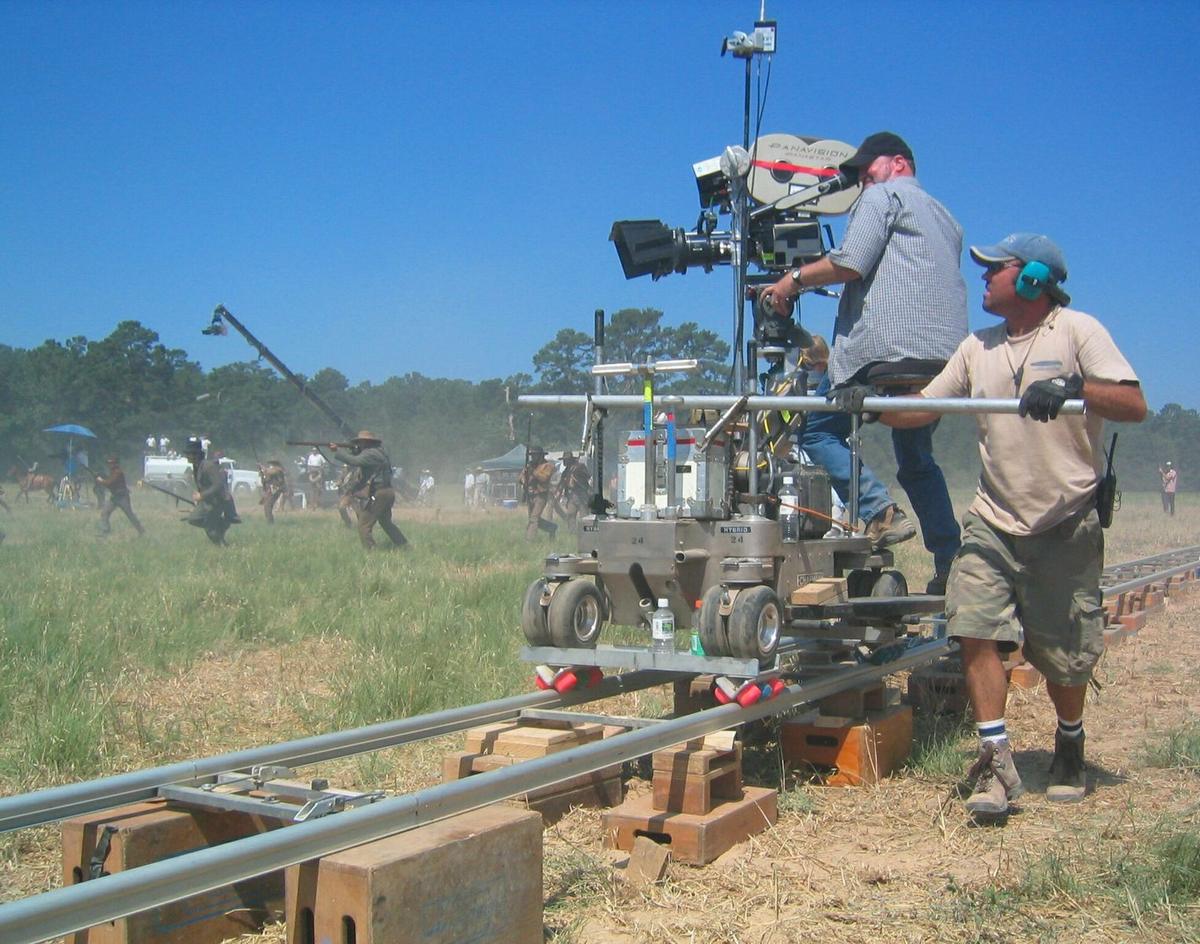
Camera motion prompts produce different results depending on which model you use. Runway Gen-4 exposes a director-mode control panel with separate sliders for pan, tilt, zoom, roll, orbit, dolly, and crane. You type the prompt and adjust the sliders independently. Luma Dream Machine, by contrast, gives you a single motion-strength slider (0-100) that applies to the entire frame: you cannot tell the model to pan left without also animating the subject. Pika 2.0 uses a different paradigm entirely: region-mask support. You paint a mask over the part of the image you want to animate and the rest stays static. This changes the prompt from "camera moves" to "this region moves."
Same Image, Three Behaviours
For a product shot of a perfume bottle on a table: in Runway Gen-4, use a dolly-in camera motion at strength 5 with a negative prompt for motion collapse. In Luma Dream Machine, set motion strength to 30 and include "zoom in" in the prompt, but expect the bottle to rotate slightly as the camera moves, an artefact of the whole-frame approach. In Pika 2.0, mask the bottle, leave the background unmasked, set region motion to "rotate 20 degrees," and the bottle spins while the table stays still. The same image, three prompt structures, three motion behaviours.
Subject Motion Prompt Image-to-Video Technique: Magnitude and Fidelity Trade-Off
Subject motion, a person walking, a flag waving, water flowing, requires the model to displace pixels from the source image. Stronger motion increases the risk of subject drift and artefacting because the model is predicting pixel displacement from a single reference frame. This is a structural consequence: there is no persistent 3D world model, only a statistical guess at what motion looks like. The trade-off between motion magnitude and source fidelity is baked into every model.
Use Numbers, Not Words
Use a motion magnitude number on the model's scale, not words like "fast" or "gentle." A word is ambiguous. A number is a specific instruction. On Runway Gen-4 the scale is 0-10; on Luma Dream Machine it is 0-100; on Kling 2.0 it is a 0-100 slider. Start at 40% of the maximum, generate one clip, inspect the output for drift, and increase by 10 percentage points if the motion is too weak. Decrease if you see limb mutation or identity shift.
Negative Constraints
Negative constraints are critical. A negative prompt for motion tells the model what not to produce. "No background sliding, no limb mutation, no flicker" is specific enough to suppress common failures. Many models allow a separate negative prompt field; if yours does not, include the negative constraints at the end of the main prompt in parentheses. In Luma Dream Machine, a negative prompt of "no sudden camera moves, no morphing" reduces the chance of the subject transforming into a different object mid-clip. In Kling 2.0, a negative prompt of "no person turning into animal" reduces identity shift.
Image-to-Video Prompt Adherence By Model: Which One Listens To Text?
Prompt adherence varies significantly. As of the documentation date checked (2026-08-14), no model achieves reliable prompt adherence on motion. The following table shows which models listen to your text prompt and which ones ignore it. The fields that matter most are motion strength granularity (more is better) and whether the model has explicit camera controls or only a single strength slider.
| Model | Motion Strength Scale | Camera Controls | Start/End Frame | Region Mask | Prompt Adherence |
|---|---|---|---|---|---|
| Runway Gen-4 | 0–10 | Pan, tilt, zoom, roll, orbit, dolly, crane | Yes (end frame optional) | Motion brush (region-specific direction/intensity) | Good |
| Luma Dream Machine | 0–100 | Pan, tilt, zoom, orbit, dolly | Yes (end frame optional) | No | Moderate |
| Pika 2.0 | 0–10 | Pan, tilt, zoom, orbit, dolly, crane, handheld | Yes (end frame optional) | Yes (Pikaffect) | Moderate |
| Kling 2.0 | 0–100 slider | Pan, tilt, zoom, roll, tracking, static | Yes (end frame optional) | No | Moderate |
| Sora | 0–100 | Static, pan, tilt, zoom, orbit | Yes (end frame optional) | No (Remix strength) | Good |
| Veo 3 | 0–10 integer | Pan, tilt, zoom, orbit, dolly, static | No (single image input) | No | Moderate |
| Seedance 1.0 | 0–100 | Pan, tilt, zoom, static | Yes (end frame optional) | No | Low |
| Hailuo AI | 0–100 | Pan, tilt, zoom, orbit | Yes (start frame only) | No | Low |
| Wan 2.1 | 0–100 | Pan, tilt, zoom, static | Yes (start frame only) | No | Low |
| LTX-Video 0.9.5 | 0–100 | Pan, tilt, zoom, static | Yes (end frame optional) | No | Low |
| Stable Video Diffusion 1.1 | Motion bucket ID (1–255) | None | Yes (start frame only) | No | Very Low |

Failed Image-to-Video Prompt Diagnosis: What To Change When The Model Ignores You
When the model ignores your prompt, the failure is almost never the prompt's fault in isolation. It is a mismatch between the prompt structure and the model's strengths. Here is the diagnosis process.
Step 1: Check For Motion Collapse
The clip is nearly static. Increase the motion magnitude by 30% of the scale. If that produces artefacts, reduce it by 10% and use a stronger negative prompt against collapse. On Runway Gen-4, a motion strength of 2 produces collapse; 5 is a safer floor. On Luma Dream Machine, a strength below 20 is near-static. On Kling 2.0, the slider at 10% of the range produces no perceptible movement.
Step 2: Check For Prompt Ignored
The model generates motion that bears no relationship to your text. This happens when text conditioning is weak. In Stable Video Diffusion 1.1, the motion bucket ID is the only text control; the model does not parse natural-language motion prompts reliably. In LTX-Video 0.9.5, the camera control prompt is often ignored; start with a static camera and animate the subject through its own motion. In Wan 2.1, prompt adherence on motion is low; use the strength slider as the primary control and keep the prompt short.
Step 3: Check The Source Image
If the source image has no clear spatial structure, a blank wall, a gradient, a tight crop on a face, the model has fewer cues for where motion should happen. Add a foreground object with distinct edges. A photo of a hand waving against a plain background generates subject drift because the model cannot anchor the hand's position over time. A photo of the same hand holding a distinctive object (a red mug) generates more stable motion because the object gives the temporal attention a reference point.
Failed Image-to-Voice Prompt Diagnosis: Specific Model Failure Modes
Each model has a characteristic failure mode you should learn before you prompt.
- Runway Gen-4: Subject drift when using director-mode camera controls. The camera moves correctly but the subject morphs. Add an end frame image to anchor the subject's final appearance.
- Luma Dream Machine: Background sliding when using a high motion strength. The camera moves but the background moves independently. Reduce strength to 40 and use a negative prompt against background movement.
- Pika 2.0: Limb mutation in region-masked areas. The mask does not constrain the subject's anatomy. Use a smaller mask area and set motion direction explicitly.
- Kling 2.0: Aspect-ratio distortion when the source image does not match 16:9 or 9:16. Resize the source to one of these ratios before uploading.
Route To The Detailed Guides By What You Are Trying To Do
The detailed guides beneath this hub cover specific use cases. Here is where to go next.
- If you need steady, predictable camera moves for an establishing shot or b-roll, the guide on camera control presets explains how to use Runway Gen-4's director-mode or Kling 2.0's tracking preset to get a smooth pan without subject drift.
- If you are animating a product shot and need the product to stay still while the background moves, the Pika 2.0 region-mask workflow guide shows how to paint a mask over the product and set region-specific motion.
- If you want to generate a clip longer than 5 seconds without seam artefacts, the start-and-end-frame guide for Kling 2.0 and Sora explains how to specify both frames for a clean transition.
- If you are diagnosing a failed clip and cannot tell whether the problem is the prompt or the model, the failure mode diagnosis guide lists the specific artefacts each model produces and the prompt fix for each.
More in Prompting for motion
-
 Camera moves and how to ask for them
The camera-motion terms—dolly, pan, orbit, crane, push-in—that image-to-video models interpret, and which models offer discrete camera controls versus text-prompt interpretation.
Camera moves and how to ask for them
The camera-motion terms—dolly, pan, orbit, crane, push-in—that image-to-video models interpret, and which models offer discrete camera controls versus text-prompt interpretation.
-
 How to structure an image-to-video prompt
A fixed five-element image-to-video prompt template—subject, motion, camera, lighting, duration—and why the order determines what the model actually animates.
How to structure an image-to-video prompt
A fixed five-element image-to-video prompt template—subject, motion, camera, lighting, duration—and why the order determines what the model actually animates.
Common Questions
Why does the model ignore my motion prompt?
Text conditioning on the motion axis is weaker than image conditioning in all current models. The model preserves the source image at the cost of your written instructions.
What is the best motion magnitude to start with?
Start at 40% of the model's maximum scale. Generate one clip, inspect for drift, and increase by 10 percentage points if motion is too weak.
Do I need an end frame image?
Yes, if the model supports it. An end frame anchors the subject's final appearance and reduces subject drift. Use it for any clip longer than 4 seconds.
Which model has the strongest prompt adherence?
Runway Gen-4 and Sora both score good on prompt adherence among commercial models. Sora offers a Remix control for varying an existing clip's motion.
Read next
-
Camera moves and how to ask for them
The camera-motion terms—dolly, pan, orbit, crane, push-in—that image-to-video models interpret, and which models offer discrete camera controls versus text-prompt interpretation.
-
How to structure an image-to-video prompt
A fixed five-element image-to-video prompt template—subject, motion, camera, lighting, duration—and why the order determines what the model actually animates.