Image to Video
Turning a still image into video: which model to use, how to prompt it, what it costs you in quality, and what you are allowed to do with the result.
-
 Commercial Use of AI-Generated Video Tiers Permissions and Conditions
-
 Frame Interpolation for AI Video: Smoother Motion and Its Artefacts
-
 Open-Weights Image-to-Video Models Worth Downloading and Running
-
 Composing a Still for Image-to-Video Motion Headroom Depth and Camera Space
-
 Product Turntable Spin from One Photograph Without Label Warping
Guides by category
-
 After the generation
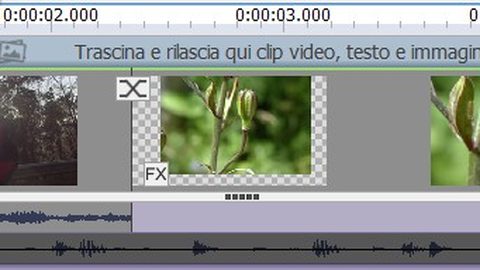
Generated video behaves differently from filmed footage—these post-processing tools address temporal inconsistency, latent-space artefacts, and seam glitches specific to AI output.
After the generation
Generated video behaves differently from filmed footage—these post-processing tools address temporal inconsistency, latent-space artefacts, and seam glitches specific to AI output.
-
 Choosing between them
Route yourself to the right image-to-video model by what you are trying to do—filmmaking, social media, local tinkering, legal clearance, or education—with dated criteria and evidence.
Choosing between them
Route yourself to the right image-to-video model by what you are trying to do—filmmaking, social media, local tinkering, legal clearance, or education—with dated criteria and evidence.
-
 Free and local
Run image-to-video generation without a subscription: open-weights models, ComfyUI workflows, hardware requirements, cloud GPU rental, and what free tiers actually permit.
Free and local
Run image-to-video generation without a subscription: open-weights models, ComfyUI workflows, hardware requirements, cloud GPU rental, and what free tiers actually permit.
-
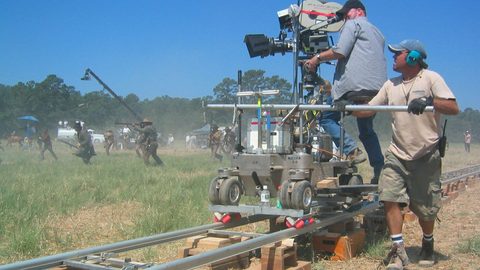 Prompting for motion
A reusable image-to-video prompt structure for controlled motion, with worked examples of the same shot prompted well and badly across Runway, Pika, Kling and Dream Machine.
Prompting for motion
A reusable image-to-video prompt structure for controlled motion, with worked examples of the same shot prompted well and badly across Runway, Pika, Kling and Dream Machine.
-
 Rights, rules and disclosure
Where to start with the legal rights, commercial restrictions, and disclosure obligations for AI-generated video, routed by what you are trying to do.
Rights, rules and disclosure
Where to start with the legal rights, commercial restrictions, and disclosure obligations for AI-generated video, routed by what you are trying to do.
-
 Shot recipes
A hub of image-to-video shot recipes stating source-image requirements, prompts, settings, and the specific ways each shot usually fails.
Shot recipes
A hub of image-to-video shot recipes stating source-image requirements, prompts, settings, and the specific ways each shot usually fails.
-
 The models
Compare image-to-video models by what you are trying to animate, how you access them, and what licence you need—not by a ranking. Every capability claim dated, no prices, nothing sold.
The models
Compare image-to-video models by what you are trying to animate, how you access them, and what licence you need—not by a ranking. Every capability claim dated, no prices, nothing sold.
-
 The source image
What to check in a still image before image-to-video generation: resolution, aspect ratio, compression, composition, and source type—and what each flaw becomes once animated.
The source image
What to check in a still image before image-to-video generation: resolution, aspect ratio, compression, composition, and source type—and what each flaw becomes once animated.
Latest articles
-
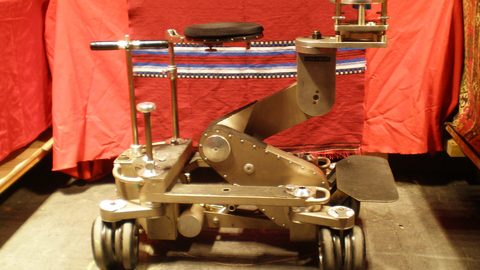 Camera Motion Vocabulary for Image-to-Video Generation Models
The camera-motion terms—dolly, pan, orbit, crane, push-in—that image-to-video models interpret, and which models offer discrete camera controls versus text-prompt interpretation.
Camera Motion Vocabulary for Image-to-Video Generation Models
The camera-motion terms—dolly, pan, orbit, crane, push-in—that image-to-video models interpret, and which models offer discrete camera controls versus text-prompt interpretation.
-
 Runway Gen-3 Alpha vs Pika 2.0 for Image-to-Video: Which Control Surface Wins
Runway Gen-3 Alpha and Pika 2.0 offer fundamentally different control surfaces for image-to-video: director-mode camera rigs versus region-mask selective animation.
Runway Gen-3 Alpha vs Pika 2.0 for Image-to-Video: Which Control Surface Wins
Runway Gen-3 Alpha and Pika 2.0 offer fundamentally different control surfaces for image-to-video: director-mode camera rigs versus region-mask selective animation.
-
 Kling 1.6 Image-to-Video: Start and End Frame Control, Motion Strength, and the Queue
Kling 1.6 adds start-and-end-frame specification to image-to-video generation, accessed through Kuaishou's platform. Every capability dated, queue times explained, failure modes documented.
Kling 1.6 Image-to-Video: Start and End Frame Control, Motion Strength, and the Queue
Kling 1.6 adds start-and-end-frame specification to image-to-video generation, accessed through Kuaishou's platform. Every capability dated, queue times explained, failure modes documented.
-
 Who Owns AI-Generated Video Output Under Current Copyright Law
Who legally owns AI-generated video output under US, UK, and EU copyright law, and what each major model's terms of service say about ownership.
Who Owns AI-Generated Video Output Under Current Copyright Law
Who legally owns AI-generated video output under US, UK, and EU copyright law, and what each major model's terms of service say about ownership.
-
 Upscaling AI-Generated Video: What Gets Fixed and What Gets Amplified
AI upscalers can fix soft generated video—but they also amplify latent-space flicker and hallucinate detail that was never in the source image.
Upscaling AI-Generated Video: What Gets Fixed and What Gets Amplified
AI upscalers can fix soft generated video—but they also amplify latent-space flicker and hallucinate detail that was never in the source image.
-
 What Image-to-Video Free Tiers Actually Allow and Restrict
Free tiers come with watermarks, resolution caps, deprioritised queues, and commercial-use restrictions. Here is what each provider's terms actually say, dated and sourced.
What Image-to-Video Free Tiers Actually Allow and Restrict
Free tiers come with watermarks, resolution caps, deprioritised queues, and commercial-use restrictions. Here is what each provider's terms actually say, dated and sourced.
-
 Image-to-Video Resolution and Aspect Ratio What Each Model Wants and What Breaks
What resolution and aspect ratio each image-to-video model expects, and the distortion and softening artefacts that appear when the source image does not match.
Image-to-Video Resolution and Aspect Ratio What Each Model Wants and What Breaks
What resolution and aspect ratio each image-to-video model expects, and the distortion and softening artefacts that appear when the source image does not match.
-
 Earth Zoom-Out Shot from a Still Image and the Joins That Give It Away
How to generate an orbital earth zoom-out from a still image, with the source requirements, prompt, and diagnosis of the seam and parallax failures that expose the shot.
Earth Zoom-Out Shot from a Still Image and the Joins That Give It Away
How to generate an orbital earth zoom-out from a still image, with the source requirements, prompt, and diagnosis of the seam and parallax failures that expose the shot.
-
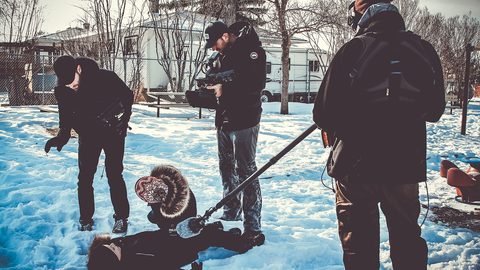 How to Structure an Image-to-Video Prompt for Better Motion Control
A fixed five-element image-to-video prompt template—subject, motion, camera, lighting, duration—and why the order determines what the model actually animates.
How to Structure an Image-to-Video Prompt for Better Motion Control
A fixed five-element image-to-video prompt template—subject, motion, camera, lighting, duration—and why the order determines what the model actually animates.
-
 Google Veo 2 vs Kling 1..6 Image-to-Video Motion Fidelity and Access Compared
Google Veo 2 and Kling 1..6 compared on motion fidelity, prompt adherence, clip length, audio, and access paths—with dated evidence and the caveat that the answer moves.
Google Veo 2 vs Kling 1..6 Image-to-Video Motion Fidelity and Access Compared
Google Veo 2 and Kling 1..6 compared on motion fidelity, prompt adherence, clip length, audio, and access paths—with dated evidence and the caveat that the answer moves.