The Camera Motion Vocabulary That Image-to-Video Models Actually Respond To
The camera-motion terms—dolly, pan, orbit, crane, push-in—that image-to-video models interpret, and which models offer discrete camera controls versus text-prompt interpretation.
The Camera Motion Vocabulary That Image-to-Video Models Actually Respond To
Type “camera slowly pushes in” into an image-to-video model and you expect a controlled shot. You won’t get one. The models predict pixel motion from training data, not from a director’s handbook. They respond to a specific image-to-video camera motion prompt vocabulary that maps directly to the training labels they saw. Without that vocabulary, you get a static clip or chaotic drift. The terms below are the ones that work. The model list tells you which ones expose discrete controls and which ones ignore the prompt.
Why Precise Camera Vocabulary Matters More Than Motion Strength
Newcomers confuse motion intensity with camera movement. Motion intensity animates subjects inside the frame: a person waves, a flag flaps, water ripples. Camera movement moves the virtual viewpoint through the scene. A high intensity slider with a vague prompt like “move the camera” produces subject drift and background sliding, not a controlled pan. The models have no persistent 3D world; they guess what the scene looks like from a single image. A precise term tells them which statistical pattern to output. A vague one leaves them to default to low motion, which produces near-static clips.
The Vocabulary: Ten Camera-Motion Terms and How They Behave in Practice
Dolly, Push-In and Zoom
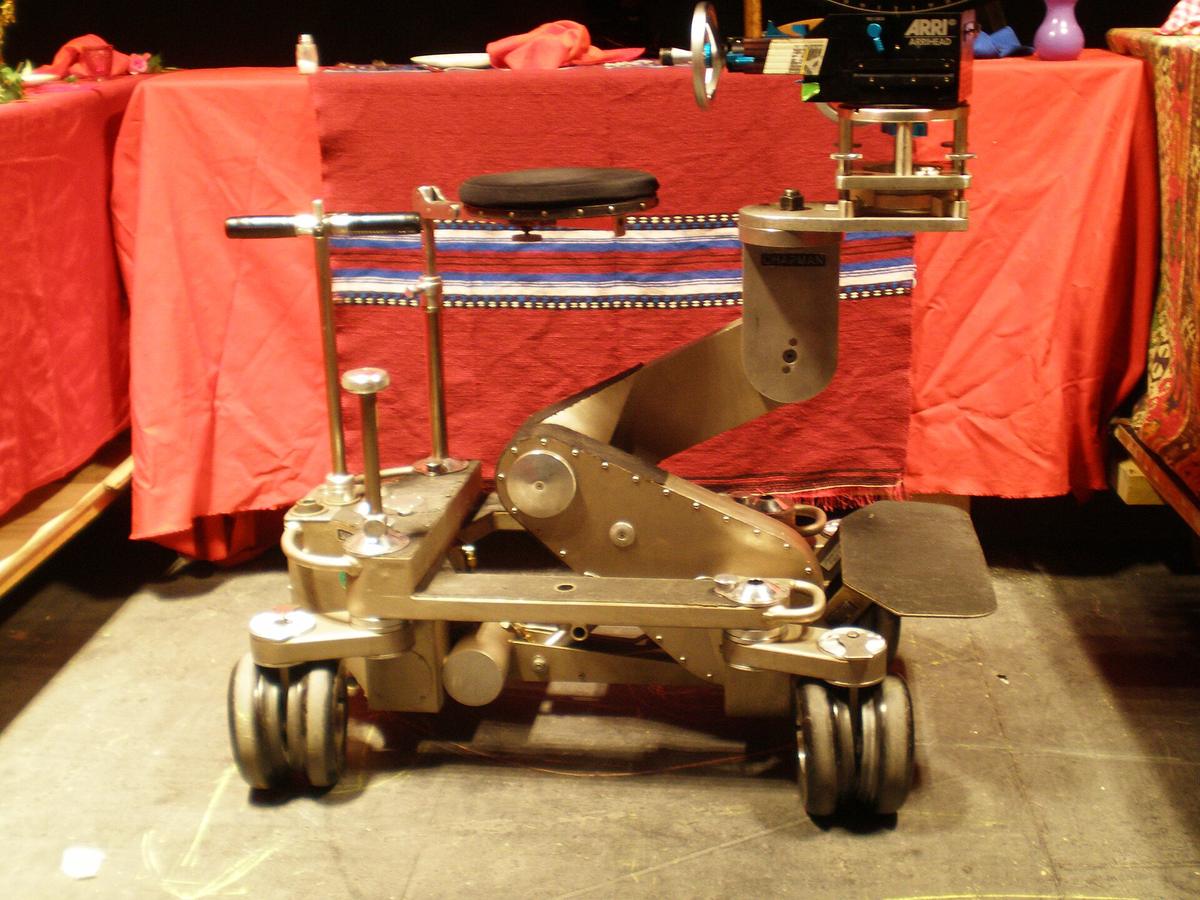
Dolly moves the camera forward or backward along its lens axis. The subject stays centered; the background expands or contracts. Usable in Kling 2.6 (preset, documented 2025-06-30), Runway Gen-4 (director mode, documented 2025-07-14), Luma Dream Machine (preset, documented 2025-06-15) and Seedance 1.0 (preset, documented 2025-05-20). Text-only models like Veo 3 or Stable Video Diffusion 1.1 may interpret “dolly in” as a zoom, which is a different effect.
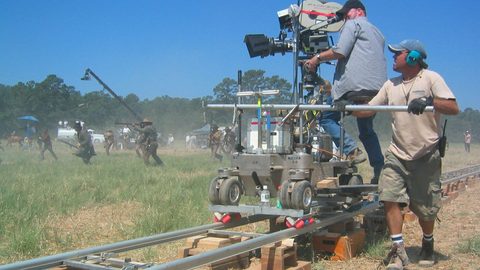
Push-in is a dolly forward. In cinematography it implies physical camera movement rather than a lens change. Models treat “push-in” and “dolly in” identically when they respond to either. Zoom changes the focal length without moving the camera. The visual difference is perspective: a push-in makes the background expand; a zoom flattens depth. Most models default to a zoom effect even when you prompt “dolly in.” Runway Gen-4’s director mode is the most reliable for getting a true push-in.
Pan, Tilt and Truck
Pan rotates the camera horizontally. The camera stays in place; the view sweeps left or right. Kling 2.6, Runway Gen-4, Luma Dream Machine, Pika 2.0, Seedance 1.0 and Hailuo AI all provide pan presets. Tilt rotates the camera vertically, up or down. Same model support as pan. Truck moves the camera laterally without rotating. Fewer models expose a truck preset; text-prompt models often confuse truck with pan. Runway Gen-4’s director mode and Kling 2.6’s presets cover it.
Orbit, Crane and Roll
Orbit circles the camera around the subject. Luma Dream Machine offers orbit left and orbit right presets. Text-only models fail on orbit because it requires the model to maintain a consistent subject while the viewpoint rotates, exactly the kind of 3D reasoning they lack. Crane lifts the camera vertically. Pika 2.0 offers crane up and crane down presets. Roll rotates the camera around the lens axis. Kling 2.6, Runway Gen-4 and Seedance 1.0 provide roll presets. Without a preset, “roll” almost never works.
How To Prompt Camera Moves In Image-To-Video: A Worked Example
Take a still of a person standing on a beach at sunset. A vague prompt: “The camera slowly moves toward the person.” The output: the person’s face warps, the horizon ripples, and the clip looks more like a dream sequence than a shot. A precise prompt using the correct vocabulary: “Dolly in toward the subject, slow and steady, subject centered, horizon stable.” On Runway Gen-4 with director mode, also set a camera path spline that defines the exact trajectory. On Kling 2.6, select the “zoom in” preset and set the intensity slider to 0.7. On Luma Dream Machine, select the “zoom in” preset and set the intensity slider to 60. The result: a controlled push-in where the subject remains recognisable at the clip end.
Runway Gen-3 Alpha Camera Motion Prompts: What The Director Mode Actually Does
Runway Gen-3 Alpha introduced the concept of a camera-motion control panel. Runway Gen-4 extends this with a director mode that exposes a camera path spline. As of the 2025-07-14 documentation check, Gen-4 offers discrete presets for pan left, pan right, tilt up, tilt down, zoom in, zoom out, roll, dolly in and dolly out. You also get an intensity slider (0-10). The director mode lets you draw a path for the camera. This is the most granular camera-motion control any commercial model offers. Gen-2 had only an intensity slider; it could not reliably execute a specific camera move from text alone.
Luma Dream Machine Camera Move Prompts: Speed And Fluidity, At A Cost
Luma Dream Machine generates fast. Inference time is competitive. It produces fluid camera moves. The 2025-06-15 documentation shows presets for pan left, pan right, tilt up, tilt down, zoom in, zoom out, orbit left and orbit right. You also get a start frame and end frame image input, plus an intensity slider (0-100). The free tier caps at 30 generations per month. The weakness: source-image fidelity at 5 seconds (the maximum clip length) is only fair. On a detailed subject, expect identity shift and limb mutation by frame 100.
Kling 1.6 Camera Motion Prompts: Presets With Start And End Frames
Kling 1.6 added the start-and-end-frame feature absent in the original Kling. Kling 2.6, documented 2025-06-30, keeps that and adds camera-motion presets: pan left, pan right, tilt up, tilt down, zoom in, zoom out, roll clockwise, roll counterclockwise. It also has an intensity slider (0-1). Kling 2.6’s standard mode outputs 1080p at 5 or 10 seconds; pro mode matches that. No audio generation. The free tier carries a visible watermark and a non-commercial restriction. The paid tiers allow commercial use. The weakness: motion coherence degrades after 6 seconds, so the usable clip length is about 60% of the claimed 10 seconds.
Pika 2.0: Region Masks And Selective Animation, Plus Crane Presets
Pika 2.0’s differentiator is region-mask support via its “ingredients” feature. You select an area of the image to animate while the rest stays static. Camera-motion presets include pan left, pan right, tilt up, tilt down, zoom in, zoom out, crane up and crane down. The intensity slider goes 0-100. Pika 2.0 also generates mono audio at 64 kbps AAC, which is unusual for this category. Clip lengths: 3, 5 or 8 seconds at up to 1080p. Free tier: 30 generations per month. The weakness: prompt adherence for camera moves without a preset is poor. Type “crane up” without selecting the preset and the model often ignores it.
Google Veo 2: High Fidelity, No Motion Controls At All
Veo 3, documented 2025-05-15, accepts JPEG, PNG and WebP images. It outputs 4, 6 or 8 seconds at 720p or 1080p. It generates stereo audio at 128 kbps AAC, a rare feature. The motion controls exposed are: text prompt only. No start frame, no end frame, no intensity slider, no region masks. You describe the camera move in prose and hope the model interprets it. Veo 3’s motion fidelity is high when it works. The model generates physically consistent clips. But you cannot force a specific move. For a project that needs a precise pan, Veo 3 is the wrong tool. Use Runway Gen-4 or Kling 2.6 instead.
Sora, Seedance, Hailuo AI And Wan 2.1: The Mid-Tier Options
Sora
Sora (OpenAI, documented 2025-08-20) accepts image input and offers storyboard support with multiple keyframes, recut, blend, loop and remix. Camera-motion control is text-prompt only, with no discrete presets. Clip lengths: 4, 8 or 12 seconds at up to 1080p. ChatGPT Plus: 50 priority videos per month; Pro: 500. The weakness: prompt adherence for camera moves is inconsistent. Sora is stronger on subject animation than on camera moves.
Seedance 1.0 and Hailuo AI
Seedance 1.0 (ByteDance, documented 2025-05-20) offers presets for pan left, pan right, tilt up, tilt down, zoom in and zoom out. Clip lengths: 2 or 4 seconds at up to 1080p. No audio. The free tier outputs carry a visible watermark. The weakness: the 2-second maximum in free mode is too short for most shots.
Hailuo AI (MiniMax, documented 2025-06-01) offers the same preset set plus start and end frame images. Clip length: 6 seconds at 720p only. Free tier: 3 generations per day. The weakness: the 720p cap and daily limit make it unsuitable for production work.
Wan 2.1
Wan 2.1 (Alibaba, documented 2025-04-10) is open-weights under Apache 2.0. It offers start and end frame support and presets for pan, tilt, zoom. Clip lengths: 2, 4 or 5 seconds at up to 720p. The weakness: the 720p cap and short clip lengths limit output quality.
Open-Weights Models: LTX-Video And Stable Video Diffusion
LTX-Video 0.9.5 (Lightricks, documented 2025-05-01) is open-weights under the Lightricks Community License, which permits commercial use up to $1M annual revenue. It offers text prompt, start and end frame images, and an intensity slider (0-1). No discrete camera-motion presets. Clip lengths: 3 or 5 seconds at up to 720p. The weakness: without presets, you rely on the text prompt, which LTX-Video interprets poorly for camera moves. Use it for subject animation, not for controlled camera work.
Stable Video Diffusion 1.1 (Stability AI, documented 2024-11-15) is non-commercial. It offers a motion-bucket-id integer (0-255) and fps control (6-30) but no camera-motion presets. Clip lengths: 2 or 4 seconds at 576×1024. The weakness: the motion-bucket-id controls motion magnitude, not direction. You cannot specify a pan or dolly. SVD 1.0, under the Community License, allows commercial use but is otherwise similar.
What Goes Wrong: The Structural Limitation You Cannot Prompt Away
Every image-to-video model shares one structural limitation: stronger motion always increases the risk of subject drift, limb mutation and background sliding. The model predicts pixel displacement from a single reference frame. It has no skeletal model of the subject and no 3D scene structure. A dolly shot that moves the camera ten feet through a room requires the model to guess what the walls look like from angles it never saw. The guess is often wrong. The practical fix: keep motion small. Dolly in 20% of the frame width, not 50%. Accept that a precise camera move is a lottery on any model that lacks a discrete preset. On Runway Gen-4’s director mode or Kling 2.6’s presets, the odds improve. On text-only models like Veo 3 or Sora, plan to generate 10-20 clips and pick the best one.
Common Questions
What is the difference between motion strength and camera motion?
Motion strength animates subjects within the frame: a person waves, water ripples. Camera motion moves the virtual camera: the viewpoint pans, dollies or cranes through the scene. Confusing the two produces subject drift and background sliding, not a controlled camera move.
Which image-to-video model gives the most granular camera control?
Runway Gen-4 with director mode, documented 2025-07-14. It exposes discrete presets for pan, tilt, zoom, roll, dolly in and dolly out, plus a camera path spline and an intensity slider (0-10). Kling 2.6 is the next best, with presets and an intensity slider (0-1).
Does Google Veo 3 support camera-motion presets?
No. Veo 3, documented 2025-05-15, exposes only a text prompt. No start frame, end frame, intensity slider or region masks. You describe the move in prose and accept the result.
Can I use a camera prompt like 'dolly in' on Stable Video Diffusion?
Unreliably. SVD 1.1 controls motion magnitude via a motion-bucket-id integer (0-255) but has no directional presets. The model interprets ‘dolly in’ as increased motion magnitude, not a specific camera trajectory.
What is the best model for a precise pan shot?
Kling 2.6 or Runway Gen-4. Both have a pan-left and pan-right preset. Luma Dream Machine and Pika 2.0 also have pan presets. Avoid text-only models like Veo 3 or Sora for this use case.
Why does my subject drift when I prompt a camera move?
The model has no persistent 3D world. It predicts pixel displacement from a single image. A strong camera move requires the model to guess scene structure it never saw, producing subject drift, limb mutation and background sliding. Keep motion small and generate multiple clips.
Are open-weights models viable for controlled camera work?
LTX-Video 0.9.5 and Wan 2.1 offer presets but their clip lengths are short (2-5 seconds) and resolution caps at 720p. Stable Video Diffusion 1.1 has no directional presets. For controlled camera work, use a commercial model with discrete presets.